
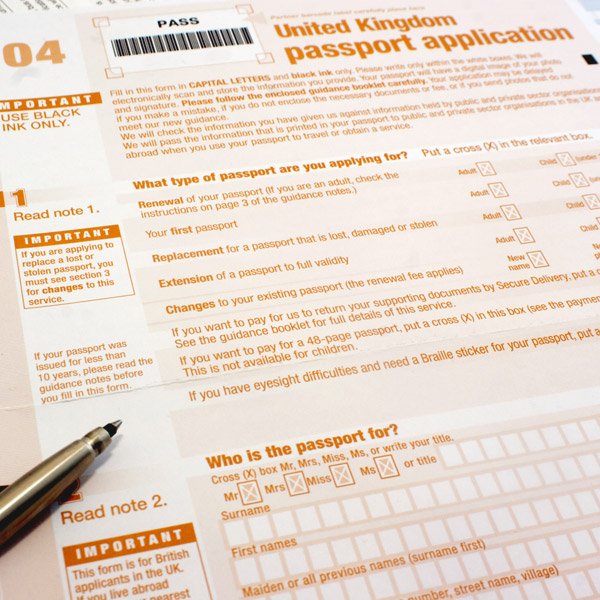
Applying for a passport renewal in the UK is one of those admin jobs that feels daunting until you actually do it — then you wonder why you put it off for six months. The online process is genuinely straightforward, most renewals come back within three weeks, and doing it early saves you from the premium-priced panic options. Here’s exactly how it works.
Before you start: do you actually need to renew?
Check two things. First, the expiry date — obvious. Second, and this catches people out constantly, the issue date. If you’re travelling to the EU, your passport must have been issued less than 10 years before entry, regardless of the expiry date. Old passports with extra months added on no longer count. Read our guide to documents needed for Europe after Brexit for the full rules — then check your passport against them.
You can renew at any time; unexpired time doesn’t transfer to the new passport, but that’s a small price for peace of mind. My rule: if it expires within a year and you have any travel planned, just do it now.
How to apply for a passport renewal in the UK: step by step
Step 1: Apply online
Go to GOV.UK’s passport renewal page — the official site, not one of the copycat sites that charge you extra for forwarding your application. You’ll need your old passport, a digital photo, and a debit or credit card.
Step 2: Get your photo right
This is where most applications stall. The photo rules are strict:
- Plain light background, no shadows
- Face the camera directly, neutral expression, mouth closed
- No glasses, no head coverings (unless for religious reasons)
- Taken within the last month
- Nothing else in the frame — no hands holding up babies, no toys
You can take it yourself against a white wall — the online system checks it automatically and tells you if it fails. For babies and toddlers, lay them on a white sheet and photograph from above. It takes a few attempts; that’s normal.
Step 3: Fill in the form and pay
The online form takes about 10 minutes. You’ll confirm your personal details, give the details of someone who can confirm your identity if needed (a countersignatory — required for first adult passports and some renewals, but straightforward renewals usually skip this), and pay. Current standard fees: £88.50 online for an adult passport (£100 by post), £57.50 online for a child. Prices rise most years, so check GOV.UK for the current figure.
Step 4: Send your old passport
After applying online, you’ll get instructions to post your old passport to HM Passport Office. Use the pre-paid envelope or tracked post — and don’t book non-refundable travel until the new one arrives.
How long does it take?
The official target is up to 3 weeks for standard online renewals, and most come back within 2. But — and this matters — processing times balloon in spring as everyone realises their passport’s expired before the summer holidays. Apply in autumn or winter and you’ll often get it back in under 10 days. Apply in May and you might wait the full three weeks or longer.
Check current processing times on GOV.UK before you apply; they publish them, and they’re honest.
In a hurry? Your faster options
- One-week Fast Track: book an appointment at a passport office, apply in person, collect a week later. Costs £178 for adults. You must book ahead — walk-ins aren’t accepted.
- Online Premium (1-day): the fastest option — apply online, attend an appointment, collect your passport the same day or next day. Costs £222. Only available for renewals of adult passports (not first applications, not damaged passports).
Both require appointments that get booked up fast in summer. If your holiday is in three weeks and your passport’s expired, call the Passport Adviceline immediately on 0300 222 0000 — they can sometimes find cancellations.
Renewing a child’s passport
Child passports (under-16s) are valid for five years and the renewal process is the same, with one extra wrinkle: someone with parental responsibility must apply, and the countersignatory rules are stricter. The photo rules apply equally — yes, even for newborns, and yes, it’s as fiddly as it sounds. Start early; don’t leave a child’s renewal to the last minute.
Common mistakes that delay applications
- Using a photo with shadows or the wrong background
- Applying through an unofficial site that charges a “processing fee” on top
- Not sending the old passport promptly (your application doesn’t progress until it arrives)
- Forgetting to declare a lost or stolen passport separately
- Booking travel before the new passport arrives
And once it arrives, photograph the details page and store it securely — if you ever lose your passport abroad, that photo will save you hours at the embassy.
What to do with your old passport
When the new one arrives, the old passport is returned to you with a corner clipped — it’s cancelled and can’t be used for travel, but don’t throw it away. Old passports are useful: they contain visas that may still be valid (some countries allow travel with a valid visa in an expired passport alongside your new one — check the specific country’s rules), and they serve as backup ID. Store it somewhere safe but separate from your new passport.
Damaged passports: a special case
If your passport is significantly damaged — water damage, torn pages, a damaged chip — you can’t renew it through the standard route. You must apply as if for a replacement, and HM Passport Office may require an interview. Don’t try to travel on a damaged passport hoping nobody notices; border officers notice, and you’ll be denied boarding or entry. Apply early, explain the damage honestly, and allow extra processing time.
The takeaway
Renew online at GOV.UK, get the photo right first time, post your old passport promptly, and apply in the quiet months. Do that and a UK passport renewal is a 15-minute job followed by a two-week wait — not the bureaucratic nightmare people fear. Just don’t be the person discovering their passport’s invalid at the airport check-in desk.
Leave a Reply